
CADCraft is useful for direct drawing edits. FreeCAD gives you a parameter-driven solid with a construction history. AutoCAD fits projects that require an Autodesk DWG workflow. We tested the first two on the same training plate and used Autodesk’s own documentation for the AutoCAD and AutoCAD LT comparison.
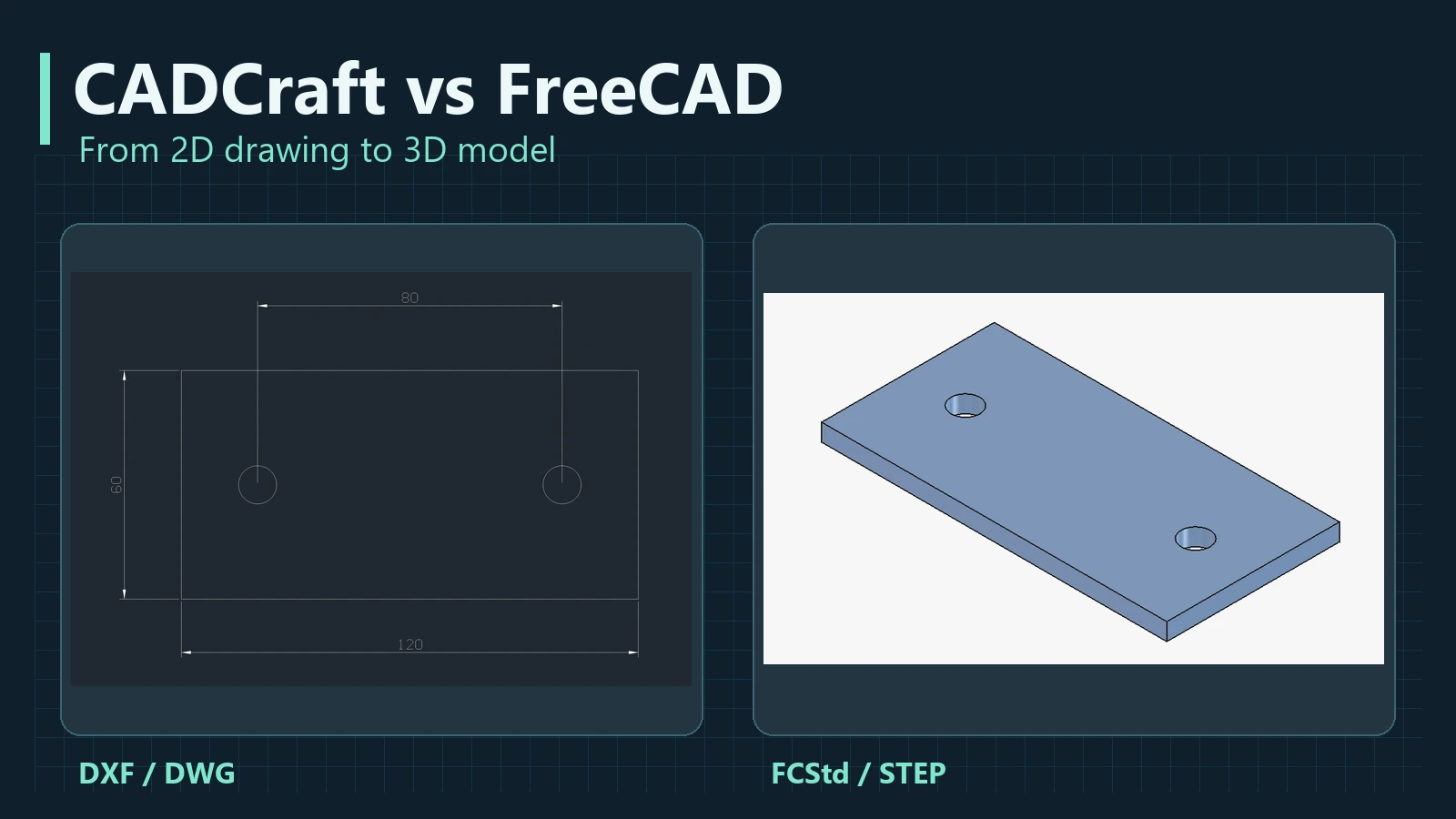
One plate, two approaches
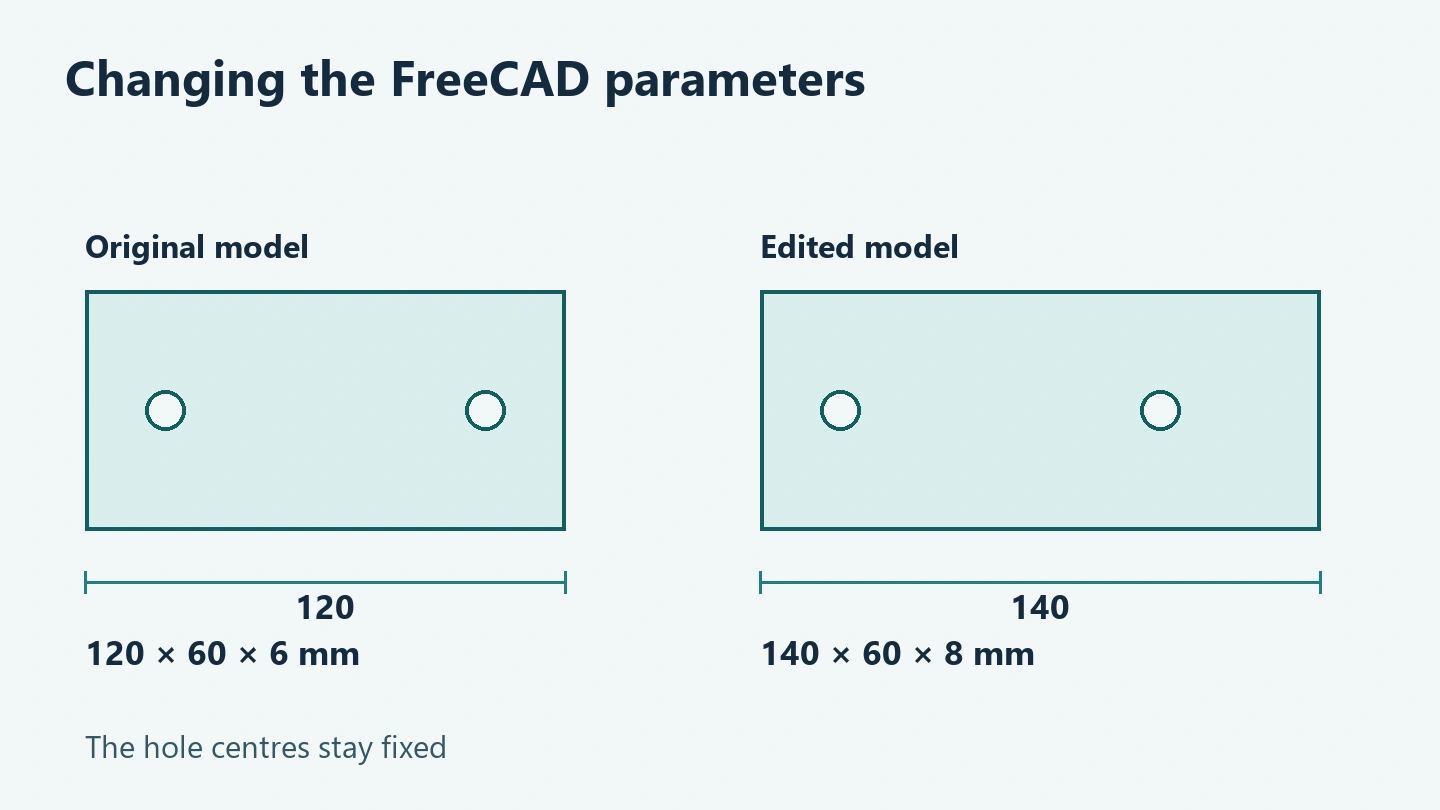
In CADCraft 0.20.1 we drew a 120 × 60 mm outline, two Ø10 holes and three linear dimensions. We converted the drawing from DXF to DWG and back, then checked the geometry, dimensions and units. In FreeCAD 1.1.4 the same outline and circles formed a Sketcher sketch. A Pad added 6 mm thickness. We changed the length to 140 mm and the thickness to 8 mm. The solid rebuilt while the width and hole positions stayed fixed. We restored the original parameters and reopened the STEP export to check the solid and its volume.
We also imported the CADCraft DXF into FreeCAD. The closed outline and both circles came through with their original coordinates. The three dimension annotations stayed in the source drawing. Keep the original DXF or a PDF when the recipient needs the annotations.

When a dimension drives the model
On a 2D drawing, a dimension reports a distance between points. In a parametric sketch the number can drive the size, and a separate feature can set the thickness. The designer still chooses which relationships to preserve. We held the hole centres at fixed coordinates. A design that needs the holes to stay symmetrical as the plate grows would use different sketch constraints.
CADCraft also supports geometric and dimensional constraints in 2D. Our DXF sample did not use them. The FreeCAD example shows how a constrained sketch can drive a separate solid feature such as Pad. CADCraft parametric constraints
CADCraft, FreeCAD, AutoCAD and AutoCAD LT compared
| Application | Main strength | What to check before choosing |
|---|---|---|
| CADCraft | Command-led 2D drafting, layers, dimensions, DXF/DWG and local CLI | Your actual DWG entities, third-party objects and plot output |
| FreeCAD | Sketcher, Part Design, feature history, STEP and TechDraw views | How relationships rebuild and how the resulting drawing reads |
| AutoCAD | DWG-centred 2D/3D, automation and specialist toolsets | The required DWG version, add-ons and subscription |
| AutoCAD LT | 2D DWG drafting | Whether the job relies on the full product’s 3D and automation features |
Keep the editable FreeCAD model as FCStd and use STEP to exchange solid geometry. TechDraw produces drawing sheets and projected views from the model. For complex contractual DWGs, agree on the receiving application and inspect the delivered file in it. FreeCAD · TechDraw · AutoCAD and AutoCAD LT · CADCraft format gaps
What the interfaces put up front
CADCraft
The canvas, layers and command line keep the drawing itself in focus. This fits floor plans, sections and annotated details.
FreeCAD
The tree shows Body, Sketch and Pad as objects in the construction history. Open a feature to find its inputs and inspect the result after recalculation.
AutoCAD
Autodesk offers full AutoCAD for 2D and 3D and AutoCAD LT for 2D drafting. Its capabilities in this article are based on the vendor’s documentation. Autodesk product comparison
How the two workflows fit Mehbud projects
Use CADCraft to review a working copy of a ceiling plan or façade detail and check layers and dimensions. In FreeCAD, explore variants of a profile or bracket whose dimensions depend on one another. Keep the editable source, a PDF for review and STEP for geometry handoff where the project needs them. The sample plate is a teaching model with no production tolerances.
From a CAD model to a video
SVG works for animating a flat drawing. A mesh from FreeCAD can power a turntable, cutaway or exploded view in a separate scene. The clip shows how the outline and holes become a solid. Keep the CAD source alongside the animation project so you can check the geometry when the design changes.
A practical starting point
Pick one small assembly and agree where its editable source lives, which format goes to the recipient and which dimensions to verify after exchange. The CADCraft walkthrough shows the 2D commands and workspace on the same example.
Related articles
AI in Architecture and Design: From a Room Photo to Plans and Quantities
Use AI to compare room designs, verify a measured floor plan and calculate paint and flooring. Includes four prompts and a worked room example.
CADCraft: Testing DXF and DWG With a Mounting Plate
A hands-on test of CADCraft 0.20.1. Draft a mounting plate, inspect the workspace and verify what survives DXF to DWG conversion.
Why It’s So Easy to Get Lost in a Shopping Mall
Why malls can be hard to navigate, where signs work best and how to test a route. Includes two floor-plan diagrams, research and a short animation.